TECHNOLOGY
GlobalUnpaid Com: What the Site Is, What It Is Not, and How to Read It Safely


If you typed globalunpaid com into a search bar, you probably expected a payment portal, a wage-recovery service, or a rewards site. The name points that way. What shows up is different. Public descriptions of the domain point to a multi-topic content website, not a government office and not a company that collects unpaid invoices.
That gap between the name and the page is why the query keeps circulating. People want a straight answer before they click, share personal details, or treat an article as advice. This guide covers what independent write-ups actually say about the site, where the name creates confusion, and how to judge any page you land on.
What GlobalUnpaid Com Actually Refers To
Globalunpaid com is the common search phrasing for GlobalUnpaid.com. Domain records place the registration on March 18, 2023, with a renewal window running into 2034. Technical lookups show the site resolving through Cloudflare addresses in the United States and redirecting to the www version. The page title associated with the domain is simply “Global Unpaid.”
That footprint confirms a real website. It does not confirm a business license, a named publisher, or a regulated financial service. Ownership is not clearly disclosed in the public sources that review the domain. Treat any article that names a founder as a claim you still need to verify on the site itself.
Recent explainers describe GlobalUnpaid.com as a general-interest publisher. Reported sections include technology, finance, business, education, health, travel, real estate, automotive topics, and even fishing. Some marketplace listings also mention paid placements, which is common on multi-niche blogs that accept contributed articles.
Why the domain name misleads readers
“Unpaid” is a loaded word. It shows up in wage claims, contractor invoices, and debt stories. Pair it with “global,” and the domain sounds like an international recovery desk. Searchers then arrive with a job problem or a missing payment and scan the homepage for a claim form.
A content site does not solve that problem. If your goal is a paycheck, an invoice, or a benefits decision, you need the employer, the labor agency, or a licensed adviser. A blog post can explain a process. It cannot file the claim for you.
How People Use the Site
Most visits appear to start from a search, not from a login. Readers look for a short explanation of a software topic, a finance habit, a travel idea, or a workplace question. The site is described as open in a browser, without a required account for ordinary articles.
Marketers sometimes look at sites like this for a different reason. Multi-niche blogs often accept guest posts or sponsored placements. A contributor gets a byline and a link. The publisher gets fresh pages. That model can be legitimate, but quality swings hard from one author to the next.
Here is a practical snapshot of what public descriptions associate with the domain.
| Area | What public information indicates |
|---|---|
| Site type | Multi-topic informational publisher |
| Reported topics | Technology, business, finance, health, travel, education, property, automotive |
| Access | Ordinary articles described as free in a browser |
| Domain start | Registered March 18, 2023 |
| Ownership | Not clearly established in public reviews |
| Wage or debt service | No reliable evidence that it operates as one |
| Government link | No reliable evidence of an official affiliation |
Use that table as a filter, not a verdict. A category label does not prove an article is accurate.
A reader example
Imagine you search for a plain explanation of refinancing a vehicle loan. A result from a general blog may outline terms and common fees. That can help you prepare questions. It should not replace the lender’s disclosure or a local consumer-finance guide. Cross-check numbers, dates, and legal claims before you act.
What the Site Is Not
Clarity here saves time. Available descriptions do not identify GlobalUnpaid.com as any of the following:
- A labor department or wage-recovery agency
- A debt-collection firm or invoice-recovery service
- A bank, payment processor, or government benefits portal
- A verified survey or task site that pays users for clicks
Older write-ups sometimes blend this domain with “online earning” language. That mix comes from the name, not from a documented payout system. Later reviews that look at the visible content describe articles, not task dashboards. If a page asks you to pay a fee to “unlock earnings,” leave.
For actual unpaid wages, use the channel that has authority in your country. In the United States, the Department of Labor’s Wage and Hour Division handles many federal wage questions. In the United Kingdom, Acas is the usual first stop for workplace disputes. Those bodies can take a complaint. A content site cannot.
How to Judge a Page on GlobalUnpaid Com
A domain can be real and still publish uneven articles. Judge the page in front of you, not the brand name.
Start with four checks.
- Who wrote it, and is that person named?
- When was it published or updated?
- Does it cite a primary source, or only other blogs?
- Does it push a product, a guest link, or a signup before it answers the question?
If the topic is health, money, or law, raise the bar. A general explainer is a starting point. Decisions belong with a clinician, a regulated adviser, or the official rulebook.
| Check | Strong signal | Weak signal |
|---|---|---|
| Author | Named writer with a relevant background | Anonymous or generic byline |
| Date | Clear publish and update dates | No date, or a date that never changes |
| Sources | Links to official or primary documents | Only other unexplained blogs |
| Commercial tone | Disclosure of sponsored or guest content | Hard sell with no disclosure |
| Scope | States what it does not cover | Presents opinion as a rule |
Safety habits that actually matter
You do not need an account to read a typical article, based on public descriptions. Still, treat forms with care. Do not enter payment details, identity numbers, or workplace files on an unfamiliar content site. Check the address bar for the exact domain before you type anything. Phishing pages often copy a familiar name with one changed letter.
A lock icon means the connection is encrypted. It does not mean the publisher is accurate or regulated.
Pros and Cons
Every multi-niche blog has the same tradeoff. Breadth brings casual readers. It rarely builds deep authority in one field.
Pros:
- Several everyday topics sit in one place, which is handy for a quick overview.
- Articles are often written in plain language.
- You can usually read without creating an account.
- Contributors get a simple publishing outlet.
Cons:
- The name confuses people who need wage or debt help.
- Authorship and ownership are thinly documented.
- Quality can change from one post to the next.
- A wide topic list weakens specialist trust.
- Important claims still need a second source.
If you only want a light introduction, the pros can be enough. If you are making a money or legal decision, the cons should send you elsewhere.
Common Mistakes
Readers trip on the same few errors.
First, they treat the domain as an official unpaid-wages portal. The wording invites that mistake. The published role does not match it.
Second, they trust a single blog post on tax, medicine, or employment law. Those subjects change by country and by year. A general article rarely carries the exception that applies to you.
Third, they assume a guest post is an endorsement. A contributed article may exist because someone paid for placement or traded a link. Read the disclosure, then read the claims.
Fourth, they share personal data because a popup looks official. Content sites do not need your national ID to show an article.
Fifth, they ignore the date. A 2023 explainer on software pricing or loan rules can be stale by the time you read it.
Best Practices for Using the Site
You can still get value from a general publisher if you set rules before you click.
- Decide your goal. Overview, or decision? Only the first belongs on a multi-niche blog.
- Open the official source in a second tab when money, health, or work rights are involved.
- Note the author, date, and any sponsorship line before you quote the piece.
- Skip pages that ask for payment to “release” earnings or recover a debt.
- Compare two independent sources if the claim affects your budget or your job.
- Bookmark the labor agency or regulator you may actually need, so the next search does not send you back to a similar domain.
These habits work on this site and on any young publisher with a confusing name.
Conclusion
Globalunpaid com points to a real domain that public reviews describe as a broad informational website, active since 2023, covering everyday topics rather than unpaid wages or debt recovery. The name creates the confusion. The pages do not clear it up by themselves.
Read it the way you would read any general magazine online. Take the plain-language overview if it helps. Verify anything that could cost you money, affect your health, or change a workplace claim. When the problem is an actual unpaid wage or invoice, go to the employer and the official channel in your country. A content site is not that channel.
FAQs
What is globalunpaid com?
Globalunpaid com is the search phrase people use for GlobalUnpaid.com, a multi-topic content site. Public descriptions say it publishes general articles on technology, business, finance, health, travel, and related subjects.
Is GlobalUnpaid.com a scam?
There is no clear public evidence that the domain is a fake wage-recovery operation. It also lacks clear ownership disclosure. Treat it as an ordinary content site, and do not send payment or identity details through it.
Does the site recover unpaid wages?
No reliable source describes it as a wage-recovery or debt-collection service. Use your employer and the labor agency in your country for an actual unpaid-wage problem.
Do you need an account to read articles?
Ordinary articles are described as available in a browser without a paid subscription. You still should not create an account or fill a form unless you understand who receives the data.
Who owns the website?
Public reviews do not establish a confirmed owner or founder. Check any ownership claim against a disclosure on the site itself before you repeat it.
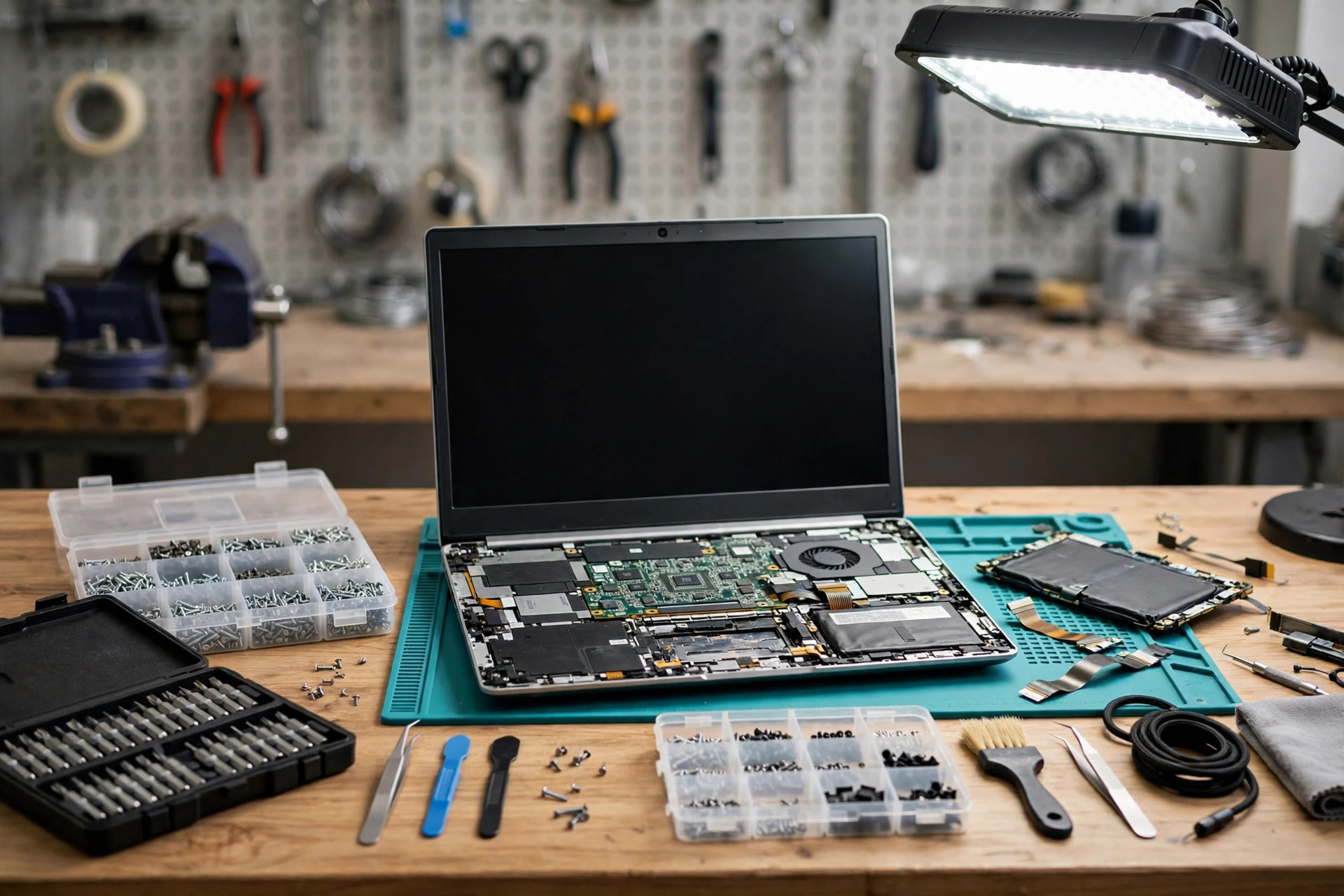
A computer usually breaks at the worst moment — before a deadline, in the middle of a project, the day before a trip. And the person you hand it to is about to see everything on it. So choosing a repair service is not just a price comparison. It is a trust decision, and it helps to know what you are actually buying.
Most repairs fall into a few familiar groups. A screen replacement, a battery that no longer holds a charge, a hard drive that has started clicking, a laptop that overheats and shuts itself down, a machine that has slowed to a crawl, or one that simply will not start. A good technician will tell you which of these it is before they start work, and what it will cost — not after.
What to ask before you hand it over
Start with the diagnosis. Is there a fee just to look at it, and is that fee deducted if you go ahead with the repair? Some shops diagnose for free; others charge a small amount. Either is fine, as long as you know before they open the case. A shop that will not give you a written estimate — parts, labour, and a total — is a shop to walk away from.
Next, ask about the parts. A genuine part from the manufacturer costs more and usually comes with a warranty. A compatible third-party part costs less and may be perfectly good for an older machine. Neither is wrong in itself. What matters is that you are told which one is going in, and that the choice is yours. The same question applies to your data: will they back it up before they work, and do they guarantee it will still be there afterwards? Back up your own files first if you possibly can — it is the one step that turns a bad repair into an inconvenience instead of a disaster.
Then ask how long it will take, and what the warranty covers. A screen replacement is often same-day. A part that has to be ordered takes longer, and a shop that promises it tomorrow without checking stock is guessing. A warranty of 30 to 90 days on parts and labour is normal; a shop offering none is telling you something.
When to repair, and when to replace
This is the question people actually want answered, and there is no single rule — but there is a useful one. If the repair costs more than about half of what a similar replacement would cost, and the machine is more than five years old, replacement usually wins. A new battery in a three-year-old laptop is a good repair. A new motherboard in a seven-year-old one rarely is.
There is also a middle option people forget: the repair that is not a repair at all. A computer that is slow because its storage is full, or because ten programs start with it every morning, does not need new parts. It needs a clean-up — removing what you do not use, updating what you do, and sometimes adding memory, which is often the cheapest meaningful upgrade there is. A technician who tells you that, instead of selling you a new drive, is one worth keeping.
One more thing, specific to the data on the machine. If the problem is the drive itself — it is not recognised, it makes noises, files have started disappearing — stop using the computer and do not keep restarting it hoping it will fix itself. Every attempt can make recovery harder, which is why hard drive recovery is its own specialist job, separate from ordinary repair. For everything else, the rule is simple: a clear estimate, known parts, a warranty in writing, and a shop that answers questions instead of rushing you. That combination is rarer than it should be, and it is the whole test.

Few sounds are as unwelcome as a hard drive clicking. Or the message that the drive cannot be found. Or the realisation, a second too late, that the folder you just deleted held the only copy of something. Hard drive recovery is the work of getting data back from a drive that has stopped cooperating — and the first thing to know is that “stopped cooperating” covers several very different problems, with very different odds.
The simplest case is the one most people meet: files deleted by mistake, or a drive formatted in error. The data is usually still there, at least for a while, because deleting a file mostly removes the signpost pointing to it, not the file itself. Recovery software can often find it again — provided nothing new has been written over the same space since. That is why the first rule of recovery is to stop using the drive immediately. Every new file, every update, every restart risks writing over exactly what you are trying to save.
When it is a physical problem
The second case is physical: the drive makes clicking or grinding sounds, it is not recognised at all, it gets hot, or it was dropped. This is not a software job any more. Opening a drive outside a clean room lets dust onto surfaces that were never meant to meet air, and a home attempt can turn a recoverable drive into a dead one in minutes. Specialist labs open drives in filtered air, sometimes swap the reading heads or the control board for matching ones, and copy the data sector by sector before they try to make sense of it. It is slow, careful work, and it is priced accordingly — which is why a reputable lab will examine the drive and quote you before doing anything irreversible.
There is also a middle case that surprises people: the drive is fine, but the computer cannot read it because the file system is damaged, or the drive was encrypted and the key is lost, or the enclosure failed while the drive inside is healthy. A good technician checks these first, because they are the cheapest fixes of all — sometimes the recovery is as simple as taking the drive out of a broken case and putting it in a new one.
What to do, in order
If you suspect a failure, stop. Do not run the drive again and again hoping it will come back; do not install recovery software onto the same drive you are trying to recover from; do not freeze it, tap it, or open it. Those folk remedies come from a time when drives were built differently, and they do more harm than good now.
Then work out what the data is worth to you. Family photos with no other copy are worth a professional quote. A drive full of films you can download again is not. That sounds cold, but it is the question a lab will effectively ask you with its price, and it is better to ask it yourself first.
Finally, let the experience change one habit. Recovery exists because backups do not. A drive that is copied to a second place — an external drive, a cloud account, ideally both — makes the whole question go away. It is the least exciting advice in technology, and the most valuable: the same discipline of keeping a second copy that sits behind automatic tuning and every other system that is supposed to keep working when one part fails. If today is the day you set that up, the failed drive will have done you one favour at least.

You type half a web address and your browser finishes it for you. You close a tab by accident and bring it back with two clicks. You remember reading something last Tuesday but not where — and there it is, in the list. All of that is your browser history at work: a simple log, kept on your own device, of the pages you have visited.
It is easy to forget it exists until it surprises you. A shared family computer, a borrowed laptop, a phone handed to a friend to look at a photo — suddenly a list of everything you looked at is one click away. Understanding what the list contains, and what it does not, is the difference between a useful feature and an uncomfortable moment.
What is actually stored
For each visit, the browser records the page address, the title, and the time. That is the history itself. Around it sit related things that people often confuse with history: cookies, which remember that you were logged in; cached files, which help pages load faster next time; and saved passwords and form entries, which are separate features entirely. Clearing your history does not log you out of everything, and it does not delete your downloads. It just removes the list.
The list is local. It lives on your device, not on the website’s server and not in the cloud, unless you have turned on sync — in which case your history follows you from phone to laptop, which is convenient until you realise it also means the list exists in two places at once. Incognito or private mode, meanwhile, does not make you invisible. It simply does not add that session to the history list. Your internet provider and the websites themselves can still see the visit.
Why you might keep it — and when to clear it
Most people should keep it, most of the time. It is genuinely useful: finding a recipe you saw last week, returning to a half-read article, checking when you last visited a site. It also powers the address-bar suggestions that save typing, and it helps the browser suggest pages you actually visit instead of guessing.
There are three good reasons to clear it. The first is privacy on a shared device — if other people use your computer, a regular clear-out is simple hygiene, like logging out of email. The second is troubleshooting: a site that keeps showing an old version of a page is sometimes fixed by clearing history and cache together, because the browser stops serving its saved copy. The third is tidiness — a history list years long is rarely searched, and clearing it costs nothing.
You can also choose the middle path most browsers now offer: keep history, but set it to delete automatically after a few months, or clear only the last hour after a session you would rather not keep. That is usually the best answer. It keeps the useful part — finding things again — and drops the part nobody needs, which is a permanent record of every click.
One last thing worth knowing: clearing your history does not erase you from the internet. It erases the list on your device. The sites you visited may keep their own records, and so may your network. If that matters to you, the answer is not a cleaner history — it is a different conversation, about tracking and privacy, and the same kind of plain question we asked about end-to-end encryption: who can see this, and who should not be able to?
-

 CRYPTO9 months ago
Crypto.com Credit Card: Complete Guide to Rewards, Benefits, and How It Works
-
 BUSINESS7 months ago
Outsourcing Customer Service: A Complete Guide to Benefits, Challenges, and Smart Strategies
-

 HEALTH9 months ago
Benefits of Drinking Lemon with Warm Water Daily
-

 BLOG7 months ago
Soundgasm: A Complete Guide to the Popular Audio Sharing Platform
-
 BUSINESS8 months ago
How to Effectively Use Betanden for Enhanced Productivity
-

 TECHNOLOGY10 months ago
Fappelo: A Complete Guide to Digital Innovation and Brand Growth
-

 BUSINESS8 months ago
Deshoptec com: A Complete Guide to Understanding Deshoptec com in the Modern E-Commerce World
-

 HEALTH9 months ago
Foods High in Omega 3 Fatty Acids: Complete Guide to Nutrient-Rich Sources