
BUSINESS
How to Build a Research Dossier for a Target Company (Practical Guide)


A research dossier for a target company is not a pile of screenshots. It is a decision file: a short, sourced brief that tells you who the company is, how it makes money, what changed recently, and what you should do next. Sales teams use it before outreach. Investors use it before a first call. Corporate development teams use it before they spend weeks on diligence. Job candidates use a lighter version before interviews.
The difference between a useful dossier and a wasted afternoon is simple. Start with the decision. Then collect only the evidence that can change that decision.
What a Research Dossier for a Target Company Should Answer
Write one sentence before you open a browser tab.
Examples:
- Should we pursue this account this quarter?
- Is this a credible acquisition conversation?
- Can this supplier meet our risk bar?
- Is this competitor a real threat or just loud?
If you cannot write that sentence, you will collect trivia. A dossier that answers a real question is short enough for a busy colleague to read in five minutes and complete enough that they can challenge your conclusion.
Core sections most dossiers need
You do not need every section every time. You do need a consistent spine so people know where to look.
- Company identity (legal name, trade names, HQ, operating countries)
- Ownership and funding
- Leadership and recent people moves
- Business model, products, and customers
- Financial position or size signals
- Competitors and alternatives buyers actually consider
- A 12–24 month event timeline
- Risks, contradictions, and open questions
- A source log with dates
Tailor the last block to the job. Sales needs triggers, tech stack, likely pain, and a budget owner. M&A needs concentration risk, liabilities, and integration questions. Supplier reviews need delivery, compliance, and dependency risk.
Start With Identity Before Strategy
Wrong company, wrong dossier. Similar names, subsidiaries, and “Inc.” vs. group holding companies trip people up constantly.
Confirm:
- Full legal name and trading name
- Website and jurisdiction
- Headquarters and main operating markets
- Public, private, PE-backed, or family-owned
- Parent, subsidiaries, and any recent name change
Use the company’s own site plus a primary registry (Companies House, SEC EDGAR, or the local equivalent). Write down the source you used to verify identity. That one line saves embarrassment later.
Ownership and funding in plain language
You are not writing a 10-K. You are answering: who controls this firm, and what capital pressure are they under?
Look for listing status, major disclosed shareholders, latest funding round, PE sponsor, and debt or refinance news. Private firms will be thinner. Label estimates as estimates. A “Series C in 2024” is a fact. “Must be growing fast” is a guess unless revenue or hiring evidence supports it.
Leadership, Hiring, and Who Actually Decides
Leadership pages go stale. Cross-check LinkedIn, filings, and recent press.
Capture:
- CEO and relevant functional leaders for your decision
- Tenure and previous employers
- Board or sponsor involvement when it matters
- Departures, new hires, and newly created roles
Hiring is a signal, not a proof. Ten new enterprise AE roles in one region support an expansion hypothesis. They do not prove revenue growth. Say that out loud in the dossier. People over-read job ads.
For sales, map a buying committee: user, champion, blocker, economic buyer. For diligence, note key-person risk if the founder still is the product, the brand, and the sales motion.
Business Model, Customers, and How Money Actually Moves
Skip marketing slogans. Write how cash arrives.
- What they sell
- Who pays
- Recurring vs. project vs. marketplace take-rate
- Concentration (one logo, one channel, one geography)
- Dependencies (a platform, a license, a single supplier)
Product pages, case studies, job descriptions, and customer reviews often contradict the homepage. When they do, record both and mark confidence.
Competitors customers actually compare
The competitor list on a pitch deck is rarely the list buyers use. Add the alternatives that show up in reviews, RFPs, and “best X tools” roundups: direct rivals, indirect substitutes, and “do nothing / build in-house.”
A short positioning note beats a 20-row feature matrix nobody reads.
| Dossier area | Decision question | Strong evidence |
|---|---|---|
| Identity & control | Who owns this and who can say yes? | Registry filings, investor pages |
| Business model | How does cash arrive and how fragile is it? | Pricing pages, case studies, filings |
| Market position | Who do buyers compare them with? | Reviews, RFP language, analyst notes |
| Risk | What could stop the plan in 12 months? | Litigation, regulation, concentration, key people |
| Timing | Why does this matter now? | Dated events, hiring, product launches |
Build a 24-Month Event Timeline
Headlines are noise until they sit in order. List material events from the last 12–24 months with dates:
- Funding, M&A, or divestitures
- Product launches and pricing changes
- Leadership changes
- Layoffs or aggressive hiring
- Legal or regulatory items
- Major customer or partnership announcements
Patterns appear. A company that raised, hired a CRO, opened two regions, and posted the same mid-market AE role three times is telling a different story than a company that cut 15% and paused a product line.
Treat each item as a dated fact plus a one-line implication. Do not write a novel.
How to Collect Evidence Without Getting Lost
Work in this order.
- Define the decision in one sentence.
- Confirm identity.
- Pull first-party sources (site, filings, careers, investor page).
- Add secondary context (news, reviews, registries, tech-detect tools).
- Log claim → source → date → confidence.
- Write the synthesis last.
That log is the difference between research and folklore. When two sources disagree, keep both and say so.
Useful public sources, used with judgment:
- Official site, press room, and careers page
- Registry and securities filings
- LinkedIn people and posts
- Review sites and forums for friction, not for “truth”
- News search with dated filters
- Tech-stack detectors for sales and integration hypotheses
Do not present a BuiltWith result as “they hate their CRM.” It is a clue. Pair it with job ads and reviews.
| Audience | What the dossier must do | Typical length | Refresh trigger |
|---|---|---|---|
| Sales / BD | Trigger, pain hypothesis, stakeholder map, opening question | 1–2 pages | New funding, hire, or product move |
| Competitive intel | Positioning, recent moves, win/loss clues | 1–3 pages + battlecard | Competitor launch or pricing change |
| Investment / M&A screen | Quality of earnings clues, risks, open diligence list | 4–8 pages | Material event or model change |
| Supplier / partner review | Delivery, compliance, dependency, reputation | 2–4 pages | Incident, audit, or contract renewal |
Practical Example: A Mid-Market Software Account
Decision: “Is this enterprise account worth a custom sequence this quarter?”
Identity: confirmed legal entity and US HQ. PE-backed since 2023.
Model: subscription platform for operations teams; case studies skew mid-market manufacturing.
Signals: new VP of Operations hired 4 months ago; three ops-analyst roles open 60+ days; G2 comments mention reporting lag; BuiltWith shows an aging analytics stack.
Timeline: PE close, then two tuck-in acquisitions, then the VP hire.
Synthesis: integration and reporting pain is a reasonable hypothesis; economic buyer is likely the new VP plus a finance partner after the add-ons.
Open questions: current contract end dates; whether the PE playbook is cost-cut or professionalize systems.
That is a dossier. It is not “they are a 400-person SaaS company in Chicago.”
Pros and Cons of a Formal Dossier
Pros
- Stops teams from recycling last year’s talking points
- Makes assumptions visible and dated
- Speeds handoffs between SDR, AE, product, and legal
- Creates a paper trail for why you passed or pursued
- Forces you to separate facts from interpretation
Cons
- Easy to over-build; a 20-page pack will not get read
- Public data is incomplete for private firms
- Stale dossiers are worse than no dossier
- Teams confuse activity (more tabs) with insight
- Legal and compliance still need formal diligence later
A dossier is a screen and a brief. It is not a substitute for data-room work.
Common Mistakes When You Research a Target Company
- Starting with “find everything” instead of one decision
- Mixing two legal entities because the brands look similar
- Copying the About page as if it were verified strategy
- Treating job ads and tech-detect tools as proof
- Skipping dates, so last year’s layoff sits next to this year’s hire with no order
- Writing conclusions before logging sources
- Building one mega-template for sales, M&A, and vendor risk
- Never listing open questions, so the next person repeats your work
- Forgetting to say what would change your mind
If two smart people cannot disagree using your source log, you wrote a story, not a dossier.
Best Practices That Keep the File Usable
Keep the executive summary under two minutes to read. Put evidence underneath.
Use the same headings every time so colleagues can scan. Color or tags for Fact / Signal / Hypothesis / Unknown help more than extra prose.
Time-box the first pass. Fifteen minutes is enough for a standard mid-market sales brief. Thirty to forty-five minutes is enough for a serious account. Multi-day work belongs to diligence, not a first dossier.
Update on events, not on a vague quarterly vow. Funding, a CEO change, a product sunset, or a lawsuit should reopen the file.
Share the open-questions list. That is how research compounds instead of restarting.
| Step | Time-box (sales brief) | Output you must have |
|---|---|---|
| Decision + identity | 5 min | One-sentence purpose, confirmed legal entity |
| Model + customers | 10 min | How they get paid, who they serve |
| Timeline + people | 10 min | Dated events, 3–5 relevant stakeholders |
| Synthesis | 5–10 min | Hypothesis, risk, next action, open questions |
Conclusion
A strong research dossier for a target company is a decision tool, not a scrapbook. Confirm who the company is. Explain how it earns money. Put the last two years in order. Separate facts from signals. End with a recommendation and the questions that still matter.
Do that, and outreach gets sharper, screens get faster, and fewer people walk into a meeting with last quarter’s story.
5 SEO FAQs
What is a research dossier for a target company?
It is a structured, sourced brief about one organization, built to support a specific decision such as outreach, partnership, investment screening, or supplier review.
What should a company research dossier include?
At minimum: identity, ownership, leadership, business model, customers, competitors, a recent-event timeline, risks, open questions, and a dated source log.
How long should a target-company dossier be?
A sales or meeting brief should stay at one to two pages. An investment or M&A screen can run longer, but the summary still needs to be readable in a few minutes.
How often should you update the dossier?
Update when something material happens—funding, leadership change, acquisition, product launch, layoff, or legal news—not on a calendar alone.
Is a research dossier the same as due diligence?
No. A dossier organizes public and readily available evidence so you can decide whether to go deeper. Formal due diligence uses non-public records, management access, and specialist reviews.
BUSINESS
Outsourcing Customer Service: A Complete Guide to Benefits, Challenges, and Smart Strategies
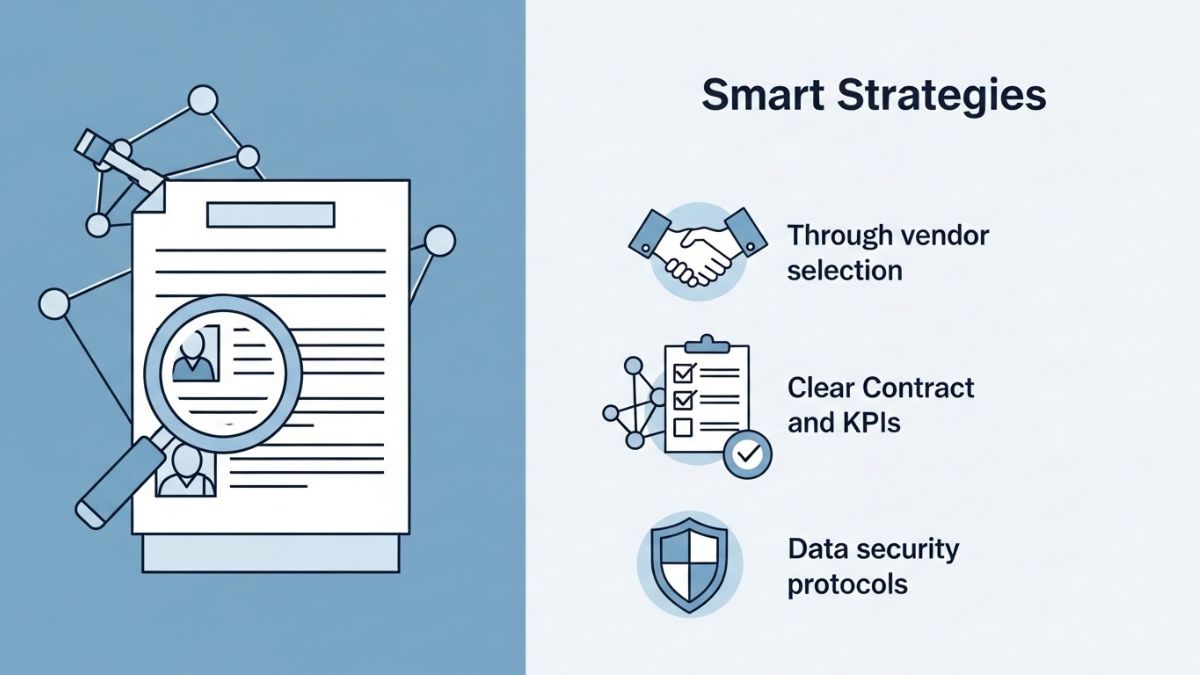
Outsourcing customer service has become a strategic solution for businesses seeking to improve support operations, reduce costs, and scale service delivery. Whether a company wants 24/7 coverage, multilingual support, or better operational efficiency, can provide flexible solutions when managed effectively. As customer expectations continue rising, many organizations view as a way to strengthen support while focusing internal resources on core business priorities.
The decision to outsource customer support involves more than reducing expenses. It often includes evaluating service quality, response speed, technology integration, and customer experience outcomes. A successful outsourcing strategy balances efficiency with consistent service standards.
This guide explores , including benefits, risks, models, key considerations, and best practices for long-term success.
What Is Outsourcing Customer Service
Outsourcing customer service refers to using a third-party provider to manage some or all customer support functions.
These services may include:
Phone support
Email support
Live chat
Technical assistance
Order support
Multilingual service
| Service Area | Common Support Function |
|---|---|
| Phone Support | Customer inquiries |
| Email Support | Issue resolution |
| Live Chat | Real-time assistance |
| Technical Support | Product help |
Businesses may outsource selected channels or entire support operations.
Why Businesses Use Outsourcing Customer Service
There are several reasons businesses consider.
Common goals include:
Cost management
Scalability
Expanded coverage
Access to support expertise
Operational flexibility
| Reason | Potential Benefit |
|---|---|
| Cost Efficiency | Lower overhead |
| Scalability | Easier growth support |
| Coverage Expansion | Extended availability |
| Expertise Access | Specialized support |
These advantages often drive interest.
Benefits of Outsourcing Customer Service
may provide multiple advantages.
Cost Efficiency
Third-party support can sometimes reduce:
Staffing costs
Training expenses
Infrastructure overhead
Scalability Support
Outsourced teams may help manage:
Seasonal spikes
Growth periods
Higher ticket volume
Broader Support Coverage
Some providers offer:
24/7 support
Multilingual service
Global customer assistance
| Benefit | Possible Impact |
|---|---|
| Cost Support | Better resource allocation |
| Scalability | Improved flexibility |
| Expanded Coverage | Better responsiveness |
| Specialized Teams | Stronger support handling |
These benefits can be significant when aligned with business needs.
Challenges in Outsourcing Customer Service
can also present challenges.
Potential concerns may include:
Quality inconsistency
Brand voice differences
Communication gaps
Less direct control
Customer experience risks
| Challenge | Possible Risk |
|---|---|
| Quality Variation | Service inconsistency |
| Brand Misalignment | Customer confusion |
| Communication Gaps | Resolution delays |
| Reduced Control | Oversight concerns |
Recognizing risks supports better planning.
Outsourcing Customer Service Models
There are several outsourcing models.
Full Outsourcing
A provider handles most support functions.
Partial Outsourcing
Specific channels or tasks are outsourced.
Hybrid Support Model
Internal teams and outsourced teams share responsibilities.
| Model | Primary Use |
|---|---|
| Full Outsourcing | Comprehensive support management |
| Partial Outsourcing | Selective support functions |
| Hybrid Model | Shared service approach |
The right model depends on business priorities.
Outsourcing Customer Service and Cost Considerations
Cost is often a major factor.
Businesses may evaluate:
Pricing structures
Service-level costs
Technology fees
Performance-related pricing
| Cost Factor | Why It Matters |
|---|---|
| Pricing Model | Budget planning |
| Service Scope | Value comparison |
| Technology Costs | Total expense visibility |
| Performance Terms | Accountability |
Cost should be evaluated alongside quality.
How to Choose an Outsourcing Customer Service Provider
Choosing the right provider is critical.
Factors to consider may include:
Industry experience
Support quality standards
Technology capabilities
Security practices
Scalability capacity
Provider Selection Factors
| Priority | Evaluation Focus |
|---|---|
| Experience | Relevant expertise |
| Quality Standards | Service consistency |
| Technology | Operational support |
| Security | Data protection |
Strong provider evaluation often reduces risk.
Service Quality in Outsourcing Customer Service
Service quality often determines success.
Important quality factors may include:
Response speed
Resolution quality
Customer satisfaction support
Agent training standards
| Quality Factor | Possible Impact |
|---|---|
| Response Time | Faster service |
| Resolution Quality | Better outcomes |
| Training | Improved interactions |
| Satisfaction Focus | Stronger customer experience |
Quality metrics often matter as much as price.
Outsourcing Customer Service and Technology
Technology plays a major role.
Important tools may include:
CRM systems
Help desk software
Chat platforms
Analytics tools
Knowledge bases
| Technology Tool | Possible Benefit |
|---|---|
| CRM Systems | Better customer records |
| Help Desk Tools | Efficient workflows |
| Analytics | Performance visibility |
| Knowledge Base | Faster support |
Technology can influence efficiency and consistency.
Training and Brand Alignment in Outsourcing Customer Service
Brand consistency often matters.
Training may support:
Tone alignment
Policy understanding
Product knowledge
Customer handling standards
| Training Focus | Why It Matters |
|---|---|
| Brand Voice | Consistent experience |
| Product Knowledge | Better support |
| Policy Understanding | Accurate handling |
| Customer Skills | Stronger interactions |
Training often helps reduce service gaps.
Common Mistakes in Outsourcing Customer Service
Some mistakes can reduce results.
Examples include:
Choosing only by price
Weak oversight
Poor performance tracking
Unclear expectations
| Mistake | Potential Problem |
|---|---|
| Price-Only Decisions | Quality risk |
| Weak Oversight | Inconsistency |
| Poor Metrics | Limited accountability |
| Unclear Expectations | Misalignment |
Avoiding these issues may improve outcomes.
Outsourcing Customer Service and Customer Experience
Customer experience should remain central.
Support quality can affect:
Retention
Brand reputation
Customer trust
Satisfaction levels
| Experience Factor | Potential Impact |
|---|---|
| Faster Support | Better satisfaction |
| Consistent Service | Stronger trust |
| Quality Resolution | Improved retention |
| Positive Interactions | Brand support |
Customer experience often determines long-term value.
Key Metrics for Outsourcing Customer Service
Performance measurement matters.
Common metrics may include:
Response time
Resolution rate
Customer satisfaction indicators
Service-level performance
| Metric | Purpose |
|---|---|
| Response Time | Speed tracking |
| Resolution Rate | Effectiveness |
| Satisfaction Indicators | Experience measurement |
| Service Levels | Contract performance |
Metrics help support accountability.
Outsourcing Customer Service for Small Businesses
Small businesses may use outsourcing for:
Cost flexibility
Extended support hours
Limited internal staffing support
Growth readiness
| Small Business Need | Helpful Benefit |
|---|---|
| Limited Staff | Support expansion |
| Budget Focus | Flexible costs |
| Growth Support | Scalability |
| Coverage Needs | Broader service |
Outsourcing may provide flexibility in early growth stages.
Common Questions About Outsourcing Customer Service
What is outsourcing customer service?
It refers to using external providers to manage customer support functions.
Is outsourcing customer service cost effective?
It may be, depending on quality, scope, and operational needs.
Can outsourcing customer service improve support quality?
It can, when providers are well managed and aligned.
What is the biggest risk in outsourcing customer service?
Service inconsistency is often considered a major concern.
Key Insights About Outsourcing Customer Service
Several themes often matter most.
| Key Insight | Explanation |
|---|---|
| Provider Fit Matters | Quality depends on alignment |
| Oversight Is Essential | Monitoring supports results |
| Customer Experience Comes First | Service quality matters |
| Metrics Drive Accountability | Measurement supports performance |
These factors often guide stronger decisions.
Future Trends in Outsourcing Customer Service
The industry continues evolving.
Important trends may include:
AI-supported service models
Omnichannel support growth
Greater analytics use
Personalized support improvements
| Trend | Potential Benefit |
|---|---|
| AI Support | Greater efficiency |
| Omnichannel Growth | Better customer coverage |
| Analytics Expansion | Improved decisions |
| Personalization | Stronger experience |
These trends may shape future strategies.
Building a Strategy for Outsourcing Customer Service
A strong strategy may include:
Clear goals
Provider evaluation
Performance measurement
Ongoing optimization
| Strategy Step | Purpose |
|---|---|
| Goal Definition | Direction |
| Provider Review | Better fit |
| Metrics Setup | Accountability |
| Optimization | Continuous improvement |
A structured approach often supports better outcomes.
Conclusion
Outsourcing customer service can be a valuable strategy when businesses balance efficiency, service quality, and customer experience. While potential benefits include scalability, cost support, and expanded coverage, success often depends on provider selection, performance oversight, and strong alignment with business goals.
By evaluating risks, choosing the right model, monitoring quality metrics, and maintaining customer experience standards, businesses can make a stronger long-term solution.
For organizations considering outsourcing custo, informed planning is often the key to smarter decisions and sustainable results.


Introduction to Unified Task Management (UTM)
Task management has evolved significantly over the years. As teams and projects grow in complexity, traditional task management methods often fall short of meeting our dynamic needs. Enter Unified Task Management (UTM), a revolutionary approach that aims to streamline processes and enhance collaboration across all levels of an organization.
Imagine having a single platform where tasks are not just assigned but also prioritized, tracked, and managed seamlessly. UTMAT is at the forefront of this shift, promising to transform how we think about productivity and teamwork. It’s more than just another tool; it’s a comprehensive solution designed for the modern workplace.
Whether you’re leading a small team or managing large-scale projects, understanding what UTMAT can offer might just reshape your perspective on efficiency. Let’s dive deeper into this innovative system and explore how it stands out in today’s fast-paced work environment.
Limitations of Traditional Task Management
Traditional task management methods often rely on outdated tools and processes. Many organizations still use spreadsheets or simple to-do lists, which can quickly become overwhelming.
These systems lack integration, leading to fragmented communication. Team members may miss updates or work with different versions of the same document.
Additionally, traditional approaches can be rigid. They don’t adapt well to changing project dynamics or team needs. This inflexibility stifles creativity and slows down progress.
Furthermore, tracking accountability in such systems is challenging. Without clear visibility into who is responsible for what, projects may suffer from delays and confusion.
Collaboration becomes cumbersome too. When teams are scattered across various platforms, coordinating efforts turns into a tedious process that drains time and energy.
As businesses evolve rapidly, sticking to these traditional methods can hinder growth and innovation.
What is UTMAT and How Does it Work?
UTMAT, or Unified Task Management and Tracking, is revolutionizing the way teams handle their projects. It integrates various task management processes into one cohesive platform. This eliminates the confusion often caused by juggling multiple tools.
At its core, UTMAT streamlines communication and collaboration among team members. By centralizing tasks, updates are easily accessible to everyone involved in a project. No more searching through countless emails or disparate applications for vital information.
The platform works using intuitive dashboards that visualize progress in real time. Users can assign tasks, set deadlines, and monitor completion rates effortlessly. Additionally, automated reminders ensure that nothing falls through the cracks.
With seamless integrations into existing software ecosystems, UTMAT adapts to your current workflow rather than forcing you to change it entirely. This flexibility is key to enhancing productivity without overwhelming users with new systems.
Key Features and Benefits of UTMAT
UTMAT redefines how teams approach task management. Its intuitive interface allows for seamless navigation, ensuring that users can easily find what they need without unnecessary clicks.
Collaboration is at the heart of UTMAT. Teams can assign tasks, set deadlines, and share updates in real-time. This fosters transparency and keeps everyone on the same page.
Another standout feature is its robust analytics dashboard. Users gain insights into productivity trends, helping them identify bottlenecks and optimize workflow efficiently.
Customization options ensure that organizations can tailor UTMAT to fit their unique needs. Whether it’s adjusting workflows or integrating third-party tools, the flexibility offered is significant.
Automated reminders reduce the chances of missed deadlines. This proactive approach enhances accountability across all team members while promoting a culture of reliability within organizations.
Case Studies: Real-Life Success Stories with UTMAT
One notable success story comes from a mid-sized marketing agency that struggled with project deadlines. After integrating UTMAT, their team experienced enhanced collaboration. Tasks were streamlined, leading to quicker turnarounds on client projects.
Another example is a tech startup facing communication hurdles. By adopting UTMAT, they centralized task assignments and updates. Team members reported feeling more aligned and less overwhelmed by the workload.
A nonprofit organization also benefited significantly. They utilized UTMAT to manage fundraising events seamlessly. The result was increased volunteer engagement and better planning across departments.
These real-life examples illustrate how diverse organizations thrive using UTMAT. Each case highlights improved efficiency, clearer communication, and elevated results in their respective fields.
How to Implement UTMAT in Your Organization
Implementing UTMAT in your organization begins with a clear understanding of your current workflow. Assessing existing processes helps identify areas where improvement is needed.
Next, involve your team in the transition. Gather their insights and concerns about task management. This collaboration ensures everyone feels included and invested in the change.
Once you have buy-in, choose a pilot group to test UTMAT. Start small to minimize disruption while allowing for adjustments based on real-world use.
Training is crucial for success. Offer workshops or online tutorials that guide users through key features and functions of UTMAT.
After initial training, encourage continuous feedback from users. Regular check-ins will help refine processes and address any challenges early on.
Monitor performance metrics closely during the rollout phase to gauge effectiveness and adapt strategies as necessary.
Future Developments and Potential Impact on Productivity
As UTMAT continues to evolve, its potential for enhancing productivity is immense. The integration of artificial intelligence could lead to smarter task prioritization and automated scheduling. Imagine a system that learns from past performance data, predicting your most productive hours.
Real-time collaboration tools are on the horizon as well. Teams can communicate seamlessly within tasks, reducing delays caused by switching between platforms. This interconnectedness fosters efficiency and clarity.
Additionally, upcoming features may include customizable dashboards that adapt to individual user preferences. Personalization will help users focus on what matters most without unnecessary distractions.
Moreover, analytics capabilities could become more robust, offering insights into team dynamics and workflow bottlenecks. By harnessing these insights, organizations can make informed decisions that drive their goals forward with unparalleled speed and accuracy.
Conclusion: Is UTMAT the Future of Task Management?
As organizations continue to navigate the complexities of modern work, the demand for effective task management solutions only grows. UTMAT stands out as a potential game-changer in this space. By providing a unified platform that integrates various elements of task management, it addresses many limitations traditional systems face.
The innovative features and real-life success stories showcase how UTMAT can transform productivity and collaboration within teams. With its user-friendly interface and adaptability, it caters to diverse organizational needs. Implementing UTMAT may require an initial investment of time and resources, but the long-term benefits could be substantial.
Looking ahead, future developments promise to enhance its capabilities further. As more organizations adopt such tools, we might see a significant shift in how tasks are managed across different sectors.
The question remains: could UTMAT indeed shape the future landscape of task management? Its potential impact on productivity is evident; embracing such innovations might just be what teams need to thrive in today’s fast-paced environments.

Introduction to Betanden and its Purpose
In today’s fast-paced world, staying productive can feel like an uphill battle. With endless tasks and distractions vying for our attention, finding a tool that truly enhances productivity is essential. Enter Betanden—a transformative platform designed to streamline your work processes and help you achieve more in less time. Whether you’re juggling multiple projects or simply looking to optimize your daily workflow, Betanden could be the game-changer you’ve been searching for. Let’s dive into what makes this tool stand out and how it can elevate your productivity to new heights.
Understanding the Benefits of Betanden
Betanden offers a multitude of benefits that can significantly enhance your productivity. Its intuitive design makes task management seamless, allowing users to prioritize effectively.
One major advantage is its capacity for collaboration. Teams can easily share updates and tasks in real-time, fostering better communication and teamwork. This feature reduces the chances of miscommunication and keeps everyone on the same page.
Another benefit lies in its customizable interface. Users can tailor their experience based on personal preferences, making it easier to navigate through daily challenges efficiently.
Additionally, Betanden provides powerful analytics tools that track progress over time. These insights help identify bottlenecks in workflow, enabling users to adapt and improve consistently.
Integrating Betanden into various platforms streamlines processes further. Whether you’re working solo or as part of a team, these features create an environment conducive to heightened focus and efficiency.
Tips for Using Betanden for Maximum Productivity
To maximize productivity with Betanden, start by setting clear goals. Define what you want to achieve each day. This focus will guide your use of the platform.
Next, explore its features thoroughly. Customize your dashboard to highlight tools and resources that matter most for your tasks. A tailored interface can streamline your workflow significantly.
Utilize reminders and notifications effectively. These prompts keep you on track and help manage time better. Don’t underestimate their power in preventing distractions.
Also, engage with the community features within Betanden. Collaborating with peers can spark new ideas and enhance accountability, driving you toward completion of projects faster.
Review your progress regularly. Analyze what strategies worked best for you and make adjustments as needed to refine your approach over time. Adaptation is key in any productive journey.
How to Incorporate Betanden into Your Daily Routine
Incorporating Betanden into your daily routine can be a game changer. Start by setting aside specific times for its use. This helps create a consistent habit.
Consider using Betanden during your morning coffee or evening wind-down. Pairing it with familiar activities makes integration seamless.
Utilize reminders on your phone or calendar to prompt you throughout the day. This keeps Betanden at the forefront of your mind, ensuring regular engagement.
You might also try journaling about your experiences with Betanden. Documenting thoughts and progress not only reinforces usage but also allows for reflection on improvements in productivity.
Find an accountability buddy who shares similar goals with you. Sharing insights and tips fosters motivation while making the process more enjoyable and effective.
Real-Life Success Stories from Individuals Using Betanden
Sarah, a freelance graphic designer, discovered Betanden while searching for ways to streamline her workflow. With its intuitive interface, she found it easier to organize her projects. Now, she completes tasks 30% faster.
Then there’s Mark, an entrepreneur juggling multiple businesses. He integrated Betanden into his daily operations and noticed significant improvements in team collaboration. Tasks that once took days are now completed in hours.
We have Lisa, a college student who struggled with time management. After using Betanden to plan her study sessions and deadlines effectively, her grades improved dramatically.
These stories highlight how diverse users find their unique paths to productivity through Betanden’s features. Each individual has experienced transformative changes by tailoring the platform to fit their specific needs.
The Future of Betanden and Potential Upgrades
The future of Betanden looks promising as technology evolves. Developers are constantly exploring new features to enhance user experience.
One potential upgrade is increased integration with artificial intelligence. This could allow for more personalized productivity suggestions based on individual workflow patterns. Imagine a tool that learns your habits and optimizes your tasks accordingly.
Another exciting prospect is enhanced collaboration capabilities. As remote work becomes the norm, seamless communication tools can make teamwork much smoother within Betanden.
Additionally, mobile accessibility will likely improve. A robust app version could help users stay organized on-the-go, making it easier to manage tasks anywhere, anytime.
Feedback from users plays a crucial role in shaping future updates. Listening to what real people want ensures that Betanden continues to meet the evolving needs of its community effectively.
Conclusion: Why You Should Give Betanden a Try
If you’re looking for a way to enhance your productivity, Betanden might be the solution you’ve been searching for. With its user-friendly interface and customizable features, it can adapt to various work styles and preferences. The benefits of increased focus and task management are significant.
Many individuals have transformed their daily routines by integrating Betanden into their workflows. By incorporating the tips mentioned earlier, you can unlock even greater potential from this tool.
As technology continues to evolve, so too will Betanden’s capabilities. Keeping an eye on future updates can ensure you stay ahead in optimizing your productivity techniques.
So why not give Betanden a try? You may discover that it’s exactly what you need to take your efficiency to new heights.
-

 HEALTH7 months ago
Benefits of Drinking Lemon with Warm Water Daily
-

 BLOG5 months ago
Soundgasm: A Complete Guide to the Popular Audio Sharing Platform
-

 BLOG7 months ago
Bijnesh: Meaning, Origin, Cultural Significance, and Modern Relevance
-
 CRYPTO7 months ago
Crypto.com Credit Card: Complete Guide to Rewards, Benefits, and How It Works
-
 BUSINESS5 months ago
Outsourcing Customer Service: A Complete Guide to Benefits, Challenges, and Smart Strategies
-

 BUSINESS6 months ago
Deshoptec com: A Complete Guide to Understanding Deshoptec com in the Modern E-Commerce World
-

 HEALTH7 months ago
Palo Azul Benefits: Complete Guide to Uses, Nutrition, and Wellness Potential
-

 CRYPTO7 months ago
ALBT Coin Price: Market Trends, Analysis, and Future Outlook